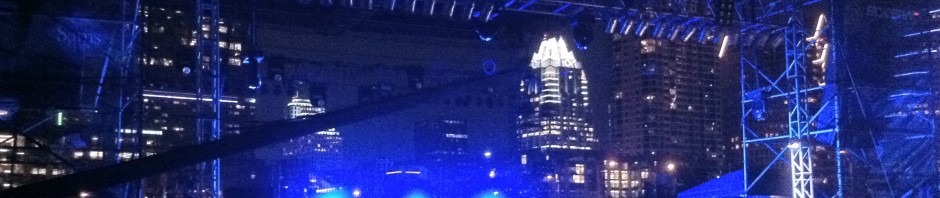
The Strokes played on Thursday at Auditorium Shores as part of SXSW. The concert was free and it was packed. I attached a video of their last song, which they played with a large fireworks display as a backdrop – read the full post to view.

The Strokes played on Thursday at Auditorium Shores as part of SXSW. The concert was free and it was packed. I attached a video of their last song, which they played with a large fireworks display as a backdrop – read the full post to view.
As I walked on Congress last night, I saw this neat 3d projection display which was probably set up for SXSW.
As always, the urgent leaves no time for the important.
Actually by Argentinian master cartoonist Quino.

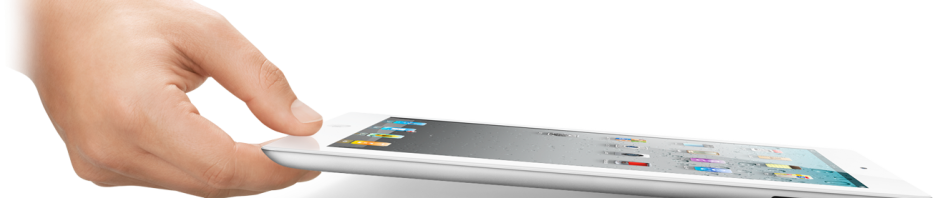
I have now spent a few days with my precious iPad 2 and have collected a few thoughts. Keep in mind that these are based on my very positive experience with the original iPad; and is not meant as a thorough review of the iPad 2. If you are one of those poor lost souls still trying to figure out the answer to “Why should I get an iPad?” then you need to seek help elsewhere.
Size and weight
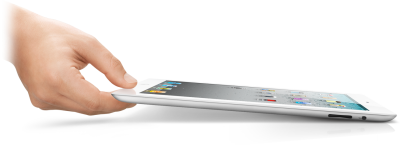
They made it considerably thinner and a little lighter. Lightness and thinness are things you can never have enough of in a gadget such as this. You can really feel the difference while holding it and it’s nice.
Cameras
Most reviewers complaining about the low quality back-side camera (good for HD video but not good for still photos) are missing the point: Nobody will ever hold up an iPad (nor any other tablet) to use it as a camera – even if it had DSLR-like quality. It’s so uncomfortable and so awkward. My take is that since every iPad knockoff added a back-side camera, Apple had to do it in the iPad 2. If you want to take photos or videos, use a real camera or your iPhone 4.
The front-camera is perfectly adequate for FaceTime video conferencing although I seem to keep blocking it with my hands.
Speed
It was very rare for the iPad 1 to ever feel slow, so for the most part the iPad 2 does not make a huge difference. But for those things in which the iPad 1 felt slow you can really really tell the difference. Web browsing is one good example of this. Facebook feels waaaay faster and this sentence alone will be enough to make several people upgrade.
Smart cover
The smart cover is slick as hell. See the video if you haven’t. As a stand it’s much better than the old Apple case. The big caveat: It doesn’t protect the back of the iPad. I personally don’t want this thing to get all scratched from tossing it on hard surfaces. I will be getting a case once I find a decent one. In the meantime I’ve settled on a cheap temporary solution. More on that in a future post.
Other
Battery life is still excellent. The screen is exactly the same – but the stupid Internet has planted dreams of Retina iPad displays in my brain: I can’t wait. The lock and volume buttons are all harder to reach when the iPad is on a table because they are tilted to the back. But the case locks it so I rarely need to press that one. The docking cable protrudes strangely. The speaker sounds about the same.
The original iPad substituted 90% of my home computer use. It was also a great book reader and a joy to travel with; and the ultimate toilet companion. For those reasons I was willing (aching) to upgrade: I use it so much that any improvement on the experience is worth it to me. Highly recommended.
This is a video of the line for the iPad 2 earlier today at the Apple Store The Domain. It was pretty insane. The video was taken at 4:40 PM, but a lot more people started arriving at 5:00 PM. They started running out of AT&T iPads first, then Verizon iPads, then plain old WiFi ones.
I am happy to report: Mission Accomplished.
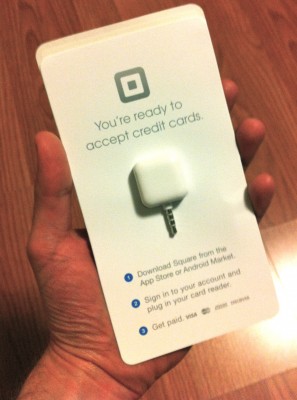 I received my free card reader from Square a couple of weeks ago. It’s a little doohickey that plugs into the headphone jack of my iPhone or iPad. Then, using their app, you swipe your credit card and can make payments, which get deposited into my bank account.
So part 1 of my business plan is firmly in place. Now for part 2: What am I going to sell?
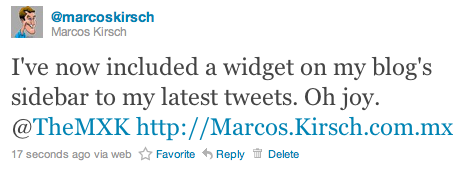
I still don’t fully “get” Twitter, and I’m not much of a user. But some people do. People who are toppling governments and stuff. Still, I decided to add a little bit of Twitter magic to The MKX® in the form of a widget sidebar (look to the right, below the Google Reader shared items). Another possible idea: Automatically publish new posts on Twitter. Or include my posts in the RSS feed. The possibilites are endless. Follow me: @marcoskirsch
One added bonus: Mention me on Twitter, and you get automatically posted on the widget to the right. So feel free to extol my virtues in 140 characters or less – if you can.
Ok, I’m sold. Check it out. Anyone wants to buy my used iPad for cheap?

vs

I use an excellent free Open Source FTP client for the Mac called Cyberduck. It is available on their website for free, but I have donated to the project. On a whim, I searched for it in the Mac App Store, and there it was… for $23.99. Interestingly enough, the link to the App Store from their website did not work for me.
Is this a rip off? Or is this a way of taking advantage of less technically savvy App Store users?

This is something I was thinking about the other day. Even though computers are becoming more and more complex everyday, they appear to be simpler to the regular, non tech-savvy user.
Before 1984, these kind of users did not even exist. You had to know at least a few arcane commands in order to use the all-text interfaces of those days. Now almost anyone can set up a network and start a video conference. Things that while possible, were really difficult to do some years ago.
The main player when it comes to making things simpler is, of course, Apple. I can think of many examples over the years, but let’s stay recent: iPad. iPad owners don’t need to be aware of some very basic computing concepts. Concepts that we thought were essential to anyone using a computer only a few years ago. Files and folders and filesystems exist under the hood of the iPad, you just don’t need to know about them! Apps are running and they are being terminated, but the user doesn’t ever needs to explicitly quit or close anything (If you see a stylus or a task manager, ‘they blew it’). Most iPad owners don’t know – and don’t need to know – what kind or how fast the processor is nor how much RAM it has… these things did not influece their purchasing choice.
The next concept that Apple is trying to kill is our old friend the pixel. Sure, displays will keep using pixels in order to render images, just like there are still files under the iOS hood, or behind the iTunes or iPhoto library… but the user won’t need to know.
This is what the iPhone 4’s Retina display is about: Make the pixels so small that you cannot even see them. If you can’t see them, why would you care about how many of them there are on your screen? There are already rumors circulating about future iPads having a Retina display one day. Newer reports say that Mac OS X 10.7 Lion is building in support for Retina-level displays for the Mac. Once all these screens have pixels so small that you can’t see them, users won’t need to care anymore about them: The death of the pixel. The rest of the industry will follow, as usual.
Farewell, pixel. It was nice knowing you.